 Bloom: Illustrated Journal
The best gratitude journal apps in 2026, compared fairly

The best gratitude journal app is the one you will still open on a bad week, so choose by three things: what the free tier really includes, what a missed day costs you, and whether you want AI involved at all. Gratitude, Gratitude Plus, Day One and Bloom: Illustrated Journal all do the basics well, and they differ most on exactly those three points.
In short
- Gratitude is the most complete free option: prompts, reminders and streaks, with no account needed.
- Gratitude Plus suits people who want to share gratitude with a partner, family or friends.
- Day One is a full journal with gratitude prompts, for people who also want photos, templates and years of archive.
- Bloom turns an entry into a painting to keep (a Pro feature), and its streak has rest days built in.
- Before you commit, check the free tier and the missed-day rule. They decide whether you are still writing in March.
What a gratitude journal app should do (and what it should not)
A gratitude practice is small: a few specific lines about what went well. A good gratitude journal app protects that smallness. It should offer a prompt for the evenings when nothing comes, remind you at a time you choose, let you start without hoops, and let you take your entries with you if you leave.
What it should not do is turn three lines into a project. Count the features you will use, check whether an account is required before your first entry, and find out what any AI in the app actually does with your words. The wider set of questions is in how to choose a journaling app.
The apps compared: price, free tier, what a missed day costs
Prices are US dollars from each app’s own site or store listing, checked on November 6, 2026, except Bloom, which lists euros. Store prices vary by country.
| App | Paid plan | Free tier | Missed day |
|---|---|---|---|
| Gratitude | Pro $39.99 a year or $6.99 a month | Journal with prompts and reminders, one photo per entry, affirmations, one vision board, backup; no account | Streaks; no rest-day or pause rule stated on its site |
| Gratitude Plus | $39.99 a year or $10.99 a month | Free to use, with a paid upgrade; the free plan’s limits are not listed | Its store listing offers a $0.99 Streak Restore purchase |
| Day One | Silver $49.99 a year; Gold $74.99 a year | Basic: one photo per entry, daily prompt, templates, reminders | Journal streaks; a lost streak can be restored by writing entries for the missed days |
| Bloom | Pro €49 a year or €9 a month, after a 7-day trial | Unlimited writing, saving and export; no paintings (those come with Pro) | Two automatic rest days a month; Rest mode pauses the streak |
Gratitude
Gratitude is built around one idea: “Notice what’s good.” The free journal comes with prompts, gentle reminders, a photo per entry and streaks, and you can start writing with no account. It also has affirmations and vision boards, which some people love and others will skip. Pro adds up to five photos per entry, more affirmations and your journal as a PDF. Its October 2026 update added saving a day as a PDF from the streak calendar, free for everyone, and a PDF book of your journal.
Gratitude Plus
Gratitude Plus describes itself with a social side. Alongside a private journal you can create or join Gratitude Circles with a partner, family or friends, browse a public feed, and look back at “memories” of what you shared. If saying thank you out loud to the people in your life is the point, this is the one built for it. If you want a quiet, private practice, the social layer is extra.
Day One
Day One is a general journal rather than a gratitude app, but its free Basic plan covers a gratitude habit well: a daily prompt, a prompt library, templates, reminders, journal streaks and On This Day memories, with end-to-end encryption listed on every plan. Silver adds up to 30 photos and videos per entry and unlimited devices; Gold adds AI features, including Daily Chat and image generation. It fits people who want gratitude to sit inside a bigger life archive.
If you keep quitting: pick for the bad weeks
Most people do not stop a gratitude journal because they run out of things to be grateful for. They stop after a sick week, a holiday or a run of late nights, when coming back feels like starting over. So pick the app for your worst week, not your best one.
- Blank evenings: all four offer a prompt. Day One has a prompt library on its free plan, and Gratitude has prompts on its free plan.
- Missed days: a streak helps some people and shames others. If one gap tends to end things for you, look for a rule that bends. Bloom builds rest days in. Mindsera, an AI journal, added an option to hide streaks entirely in its autumn 2026 update. Day One lets you restore a lost streak by writing entries for the missed days, and Gratitude Plus sells a $0.99 Streak Restore. Gratitude’s site states no rest-day rule, so check the app itself before you rely on it.
- Coming back: do not catch up. Write today and leave the gap. Why that works is in how to keep a journaling habit without the guilt.
Once you have picked an app, how to keep a daily gratitude journal covers the routine, and 60 gratitude prompts help on days when nothing comes to mind.
Where Bloom fits, and where it does not
Bloom is a journaling app where a few lines a day become a painting, with a whispered line laid over it and a title, yours to keep. For gratitude, that means a short entry about the good part of your day leaves something behind you can look back on. A prompt is waiting if you want one, or you ignore it and just write. Miss a day and one of two automatic rest days a month covers it, with nothing to tap; Rest mode pauses the streak for a holiday. As the site puts it, “Nothing here scolds you.”
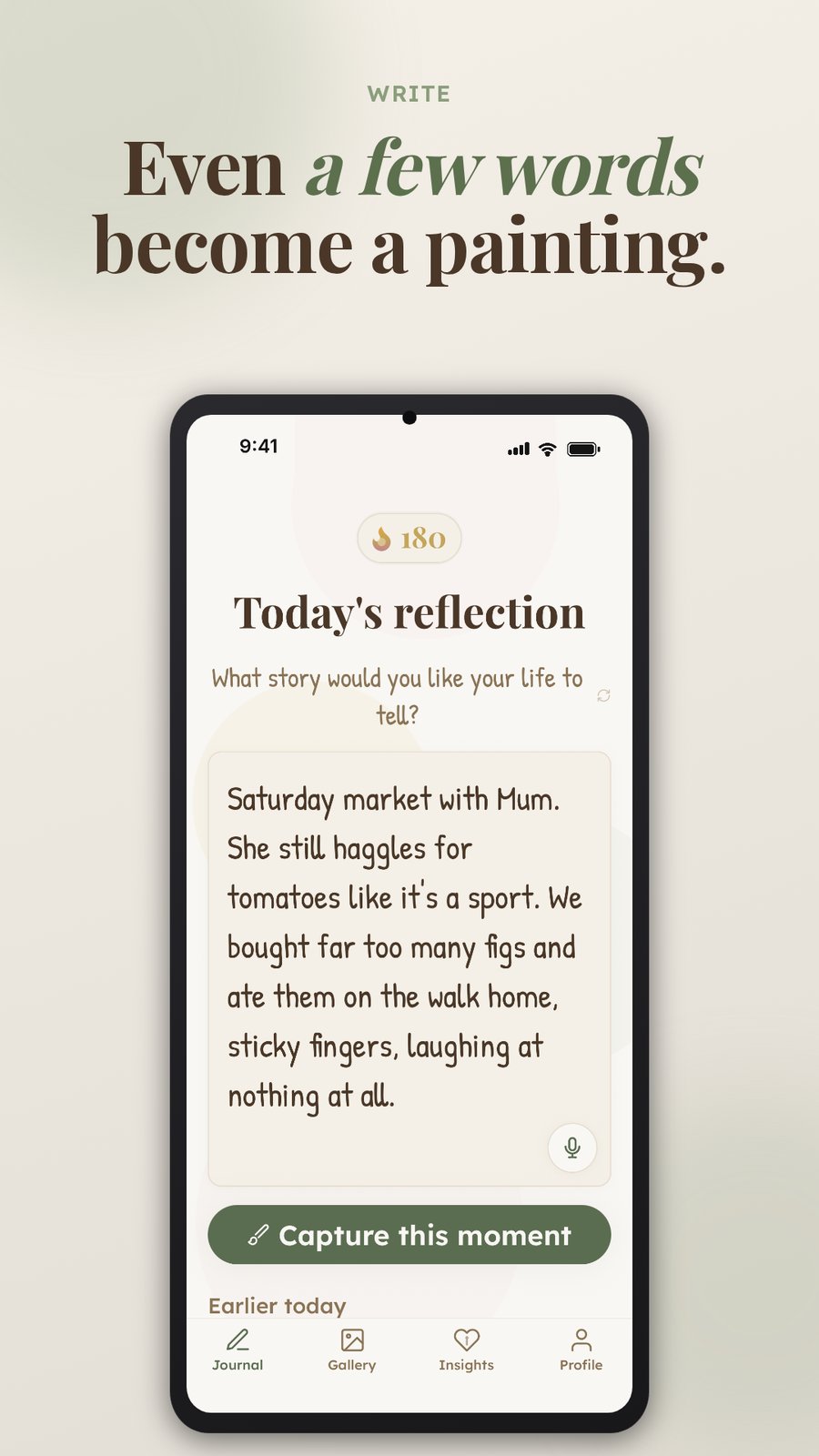
Against the checklist above, Bloom matches on some points and not others. Onboarding gives you a private guest journal, so your first entry needs no email or name, and there is no chat: Bloom paints, it does not talk back. But it is not an app without AI. To paint an entry, its text is sent to Google Gemini, and the Privacy Policy says what happens to your words. Your journal lives on your phone by default.
Writing, saving, reading back and exporting your journal are free forever. Paintings come with Bloom Pro: up to 90 paintings and 4 living paintings a month for €9 a month or €49 a year (as of November 2026, in your store’s local currency), after a 7-day trial with up to 3 paintings a day. If you want a free app with lots of affirmations, Gratitude fits better. If you want to share with friends, Gratitude Plus does. If you want photos and a long archive, Day One does. Bloom is for people who want each entry to leave a painting to keep. Bloom is on Google Play for Android; the iPhone version is on its way to the App Store.
Miss a day without losing your garden.

On Android now. The iPhone version is on its way to the App Store.
Questions
Which journaling apps are good for a gratitude practice?
Gratitude is built for it, with prompts, reminders, affirmations and vision boards. Gratitude Plus adds sharing with people you choose. Day One is a general journal whose free plan includes a daily prompt, templates and streaks. Bloom turns each entry into a painting to keep, with paintings on its Pro plan.
What is the best gratitude journal app for someone who keeps quitting?
Pick one with prompts for blank evenings and a streak that does not punish a gap. Bloom covers two missed days a month automatically and has a Rest mode for holidays, and Mindsera lets you hide streaks. For other apps, check the missed-day rule in the app before you commit.
Is there a free gratitude journal app?
Yes. Gratitude’s free plan includes the journal, prompts, reminders and one photo per entry, and Day One Basic is free. Gratitude Plus is free to use with a paid upgrade. In Bloom, writing and export are free; paintings need Pro.
Can I take a break from a gratitude app without losing my streak?
It depends on the app, and few say so on their pages. In Bloom, two rest days a month cover missed days without you doing anything, and Rest mode pauses the streak for a holiday or a hard week.