 Bloom: Illustrated Journal
Best journaling app for Android in 2026: six apps compared

The best journaling app for Android is the one that fits how you record a day: Day One for a long, searchable archive, Daylio if you would rather tap than write, Gratitude for a daily gratitude habit, Journey or Mindsera if you want an AI to talk back, and Bloom: Illustrated Journal if you want each entry to become a painting. All six are on Google Play today, and they differ most in sync, export and what the free plan really gives you.
What matters in a journaling app for Android
Store listings make journal apps look alike. Four things separate them once you have used one for a month.
- Where your entries live, and how they sync. Some apps keep everything on the phone and back up to a cloud drive you already use. Others sync through their own cloud so you can write on a laptop too. If you switch phones every few years, check this first.
- Whether you can take everything out. A journal is years of your life. Export should be complete and free, in a format you can open without the app.
- A lock. A PIN or fingerprint lock matters if your phone gets passed around.
- Reminders that help, not nag. Most apps have a daily reminder. What differs is what happens when you miss a day.
Our longer checklist is in how to choose a journaling app, and the privacy side, including what AI features send away, is in how private is a journaling app, really?
The apps compared
Download counts and ratings are from each app’s Google Play listing, and prices from each app’s own site, all read on November 6, 2026. Prices are in US dollars and vary by country.
Day One: best for a long, searchable archive
Day One has 1M+ downloads and a 4.6 rating on Play. Its free Basic plan gives unlimited text entries and journals, 1 photo per entry, templates, prompts, search, On This Day and streaks, and its listing says Basic includes end-to-end encryption. It exports to PDF, JSON or plain text. Writing across several devices needs Silver ($49.99 a year), and Gold ($74.99 a year) adds Daily Chat and image generation, per Day One’s pricing page. It also runs on Windows and the web, which is useful if you do not own a Mac.
Journey: best if you write on more than one device
Journey has 5M+ downloads and a 4.3 rating. Its listing names cloud sync, a passcode and fingerprint lock, end-to-end encryption, and apps for mobile, desktop and web, and its site lists DOCX and PDF export through plugins. Its latest update added Pal, a journaling companion you can chat with by text or voice. If you want company while you write, that is a plus. If you do not, it is one more thing on screen. We could not confirm Journey’s current price.
Daylio: best if you would rather tap than write
Daylio is the most installed app here, with 10M+ downloads and a 4.7 rating. You pick a mood and activities in a few taps, and a note is optional. The listing says entries are stored on the phone, with optional backup to your own Google Drive, a PIN or fingerprint lock, and export to PDF or CSV. It is a mood log first and a journal second. That is its strength if you do not want to write.
Gratitude: best for a daily gratitude habit
Gratitude: Self-Care Journal has 5M+ downloads and the highest rating in this list, 4.9. It pairs a gratitude journal with affirmations and vision boards, and sends reminders with prompts. According to its website, the free plan includes the journal with prompts and reminders, 1 photo per entry, affirmations, one vision board, and backup and sync, with no account needed. Gratitude Pro is $39.99 a year (as of November 2026).
Mindsera: best if you want an AI to reflect with
Mindsera describes itself as an “AI journal that reflects back”: it asks questions, remembers what you have written and shows you patterns. It is smaller on Play (10K+ downloads, 4.7). Per mindsera.com, the free Curious plan is a minimal journal with a habit tracker and passcode lock, and Genius is $14.99 a month or $129 a year. The site says entries can be exported to Markdown or PDF.
Bloom: best if you want a painting of each day
Bloom: Illustrated Journal is our app. You write a few lines and, with Bloom Pro, the entry comes back as a painting. It is new: the Play listing says “This is the first release”, it was updated on October 29, 2026, and it has no ratings yet. There is no track record to point to, so judge it by what it does. More on that below.
If price is the deciding factor, what free journaling apps really include goes through the free tiers and where the paywalls sit.
If you want something simple
A request on Reddit’s r/gratitude sums up a common feeling about journal apps on Play: too many features, AI assistants and sign-ups for someone who only wants to write (the thread). The poster asked for reminders and a simple template to fill in.
If that is you, three things narrow the list fast:
- Skip the AI chat if you do not want it. Journey’s Pal, Mindsera and Day One’s Daily Chat on Gold are built to talk back. Daylio, Gratitude and Bloom are not chat apps.
- Look for a prompt you can ignore. Gratitude sends reminders with prompts. Day One Basic has templates and prompts. In Bloom, a short prompt sits above the text box if you want one, or you can just write.
- Check when the app asks for an account. Gratitude says no account is needed. Bloom starts you in a private guest journal, so no email or name is needed to write your first entry. For other apps, open the listing’s data section or try the first screen before you commit.
Bloom on Android: what it does and what is Pro
Bloom calls itself “an illustrated journal and gratitude diary”, and “a keepsake, not a mood tracker”. Here is what that means in practice.
You write a few lines. While the painting is made, a breathing circle paces your breath. The painting comes back as a flat, mid-century-style illustration with a whispered line laid over it and a title. Each month collects in a calendar gallery of your paintings. If you do not like a painting, you can ask for a different one: it replaces the first, you get up to 3 attempts per entry, and each attempt counts toward your monthly paintings.
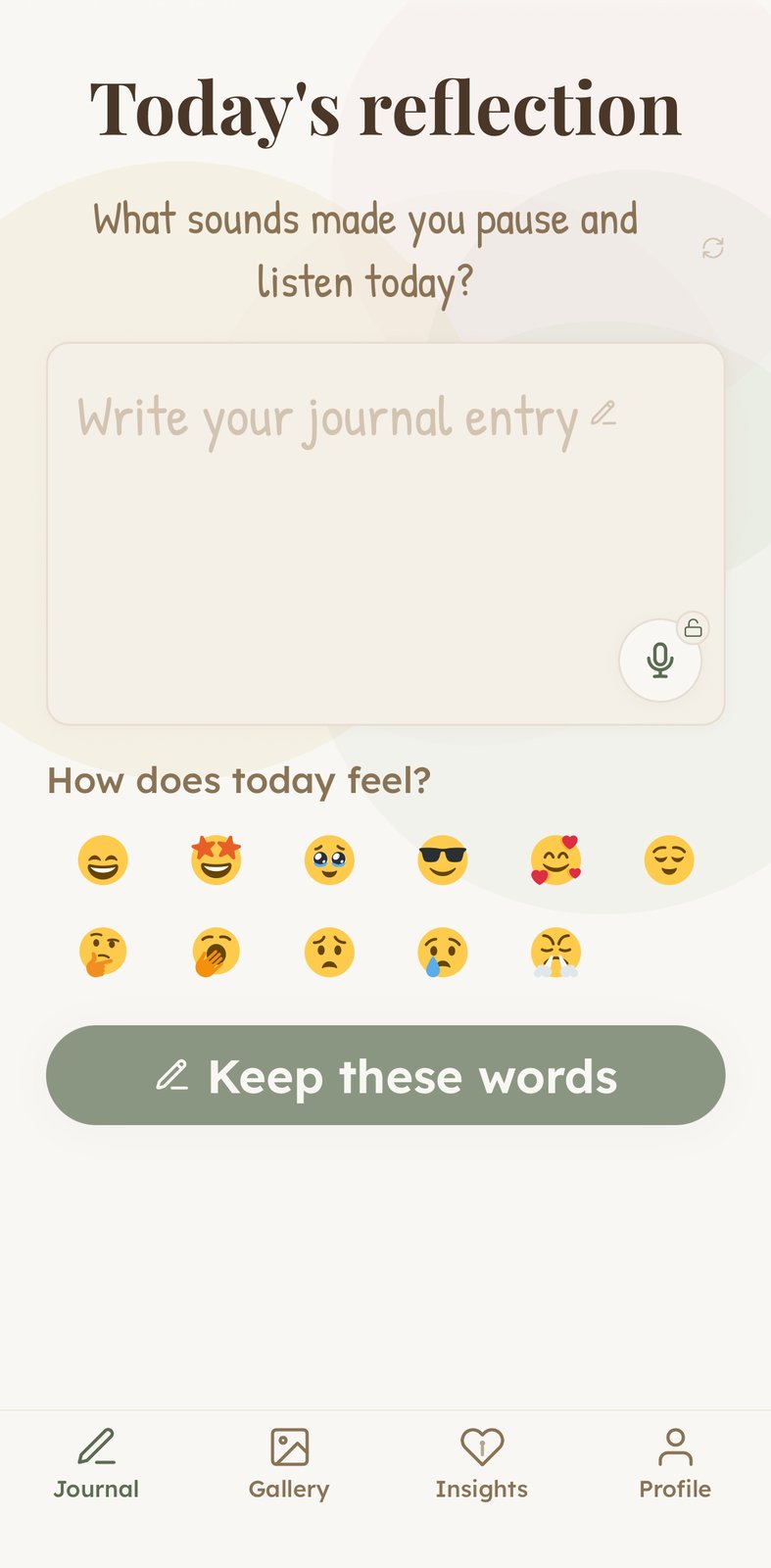
- Free, on every plan: writing, saving, reading back and export, with no limit, plus a daily mood and a week of insights. No ads. The free plan has no paintings and no living paintings.
- Bloom Pro: up to 90 paintings a month and 4 living paintings (short videos), plus full insights including On This Day. EUR 9 a month or EUR 49 a year, the same in both stores and charged in your local currency. It starts with a 7-day trial that includes up to 3 paintings a day and 1 living painting. Writing is never limited.
- A streak that forgives: two rest days a month cover missed days automatically, and Rest mode pauses the streak while you are away. More in how to keep a journaling habit without the guilt.
- Where your words live: on your phone by default, with cloud storage as a choice. Entry text is stored encrypted, but not end-to-end encrypted. You can export your whole journal as one ZIP of every word and painting on any plan (living paintings are not in it), and lock it with a passphrase.
- The trade: to paint an entry, its text is sent to Google Gemini, along with your town and country if you turn on “Remember where I paint”. Living paintings are made by WaveSpeed, which gets a description of the scene, not your entry. The Privacy Policy has the detail, including analytics (with an opt-out in Settings) and crash reporting. There are no ads. Bloom measures its own Meta ads on Android, with a switch in Settings (asked first in Europe).
- Android first: Bloom is on Google Play now. The iPhone app is on its way to the App Store.
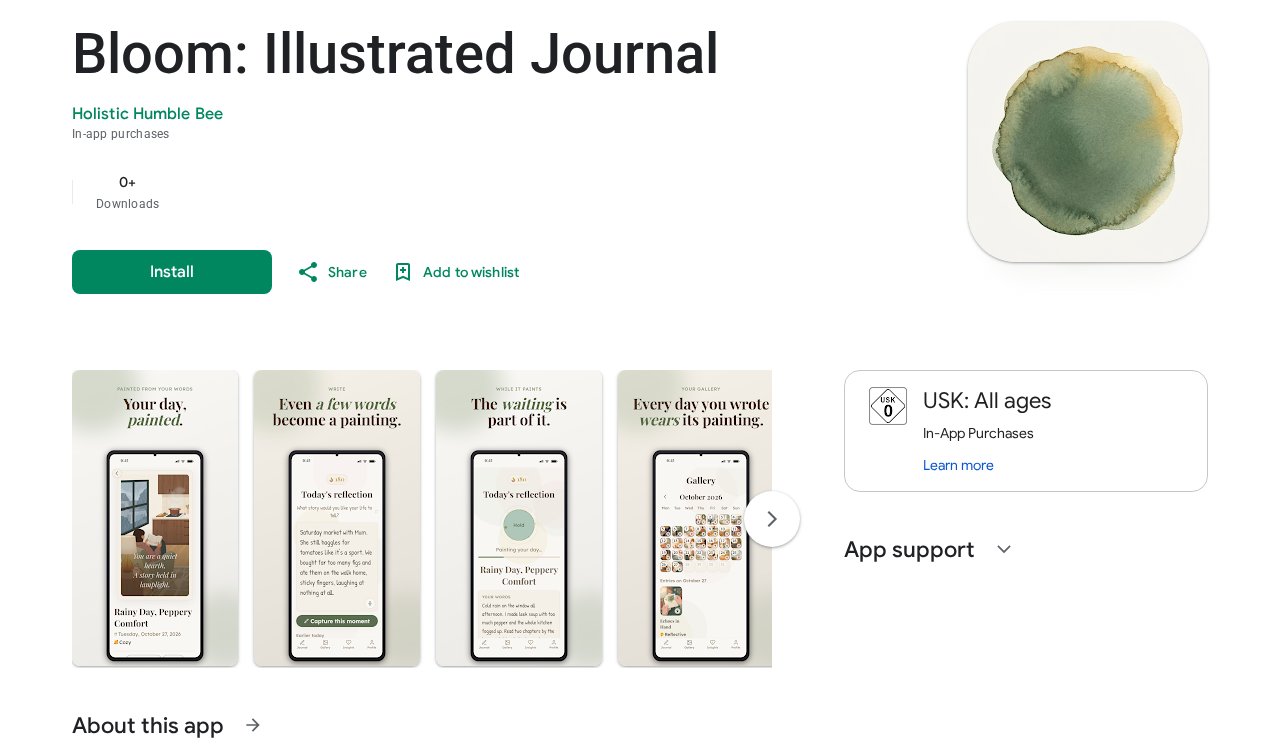
If you want an archive of years with photos, Day One is the stronger choice today. If you want a picture of each day to look back on, that is what Bloom is built for. We cover that idea in journaling apps that turn your words into art. Bloom is a journaling tool, not therapy, not a medical device and not a crisis service.
On Android now. The iPhone version is on its way to the App Store.
Questions
What is the best journaling app for Android?
It depends on how you journal. Day One suits a long archive with photos and search. Daylio suits quick mood taps. Gratitude suits a daily gratitude habit. Journey and Mindsera suit people who want an AI to talk back. Bloom suits people who want each entry to become a painting to keep.
What is the best free journal app for Android?
Look at what the free plan keeps open. Day One Basic gives unlimited text entries with 1 photo per entry. Gratitude’s free plan includes the journal, prompts, reminders, and backup and sync. Bloom’s free plan gives unlimited writing, a daily mood, a week of insights and export; paintings need Bloom Pro.
Is there a journal app for Android that works without an account?
Gratitude says no account is needed, and Daylio’s listing says entries are stored on the phone. Bloom starts you in a private guest journal, with no email or name. Check the first screen of any app before you commit.
Can I move my journal if I change phones?
Pick an app with full, free export. Day One exports PDF, JSON and plain text, Daylio exports PDF or CSV, Mindsera says Markdown or PDF, Journey’s site lists DOCX and PDF through plugins, and Bloom exports your whole journal as one ZIP on any plan.
Write a few lines. Keep the painting.