 Bloom: Illustrated Journal
Free journaling apps: what “free” really includes in 2026

Most free journaling apps let you write for free, and the real differences sit in what else the free plan keeps open: photos, devices, export, or how many entries you get. Day One Basic, Gratitude and Bloom: Illustrated Journal let you write as much as you like without paying, while Life Note’s free plan allows 3 entries a week.
Three kinds of “free”
“Free” on a store listing can mean three different things, and it helps to know which one you are looking at before you write your first entry.
- A free plan. The core journal stays open with no end date. You pay only for extras such as more photos, more devices or AI features. This is the kind worth building a habit on.
- Freemium with a cap. The app is free, but the thing you came for is rationed: a few entries a week, a set number of uses. Fine for trying, harder to live with.
- A free trial. The paid plan, free for a short time, then billed through the App Store or Google Play unless you cancel. A trial is not a free app.
Many apps mix all three. Day One, for example, has a free Basic plan and also offers a free trial of its paid plans, which its pricing page puts at one month.
What these free journaling apps give you
Plans below are from each app’s own site, read on November 6, 2026. Prices are in US dollars, vary by country and can change, so check the page before you subscribe.
Day One: the most generous free plan for plain writing
Day One Basic costs $0 and includes unlimited entries and journals, 1 photo per entry, prompts, templates, search and On This Day. Day One says Basic includes end-to-end encryption, and export to PDF and to CSV or JSON is open on Basic too. The main limit is devices: Basic is for one device, and journaling across all your devices starts with Silver at $49.99 a year, which also lifts photos to 30 per entry. Gold, at $74.99 a year, adds AI features such as Daily Chat. (Day One pricing)
Gratitude: a free plan built around one habit
Gratitude’s free plan includes the gratitude journal with prompts and reminders, one photo per entry, a free set of affirmations, one vision board, and backup and sync. You do not need an account. Gratitude Pro is $39.99 a year or $6.99 a month and adds up to five photos per entry, 600+ premium affirmations, unlimited vision boards, more backgrounds and fonts, and your journal as a PDF. (gratefulness.me)
Life Note: free, with a weekly limit on entries
Life Note’s free plan allows 3 entries a week, or 10 in your first seven days, with one AI “mentor” response per entry. A subscription ($99.99 a year or $10.99 a month) makes journaling unlimited and adds up to three mentors per entry. To its credit, Life Note says “encryption, the app lock, data export and account deletion are never gated”. (Life Note pricing)
Mindsera: a free tier for a minimal journal
Mindsera’s free Curious plan is a minimal journal with a habit tracker, a passcode lock, tags and writing templates. The paid Genius plan is $14.99 a month or $129 a year. The site says you can export entries to Markdown or PDF at any time, without tying that to a plan. It suits people who want an AI to reflect their writing back to them. (mindsera.com)
We left out apps whose sites do not say what the free plan includes. If an app will not tell you before you install it, the first screen after sign-up will.
Paywalls worth walking away from
Paying for extras is fair. Someone has to keep the servers running. The paywalls worth leaving over are the ones that lock the basics of keeping a journal. One App Store reviewer of a gratitude app put it in a sentence: “Writing an entry for a past day is a pro feature?” That is one reviewer’s experience, not a statement about the app’s current plans.
- Writing itself is rationed. If you can only write a few times a week for free, check whether that matches how often you actually want to write.
- Export is locked. A journal is years of your life. If you cannot take all of it out on the free plan, you are renting your own words.
- A paid plan is needed to reach old entries. Reading, searching and editing what you wrote should never depend on a subscription.
- A trial starts before you know what it costs. Look for the price after the trial, and remember that on iPhone and Android you cancel in the store, not by deleting the app.
- Deleting your account is hard to find. A good app tells you how to leave as clearly as how to join.
Our fuller checklist, including where your words are stored, is in how to choose a journaling app. The privacy side, including what AI features send away, is in how private is a journaling app, really?
Where Bloom sits: writing free, paintings Pro
Bloom is a journal where a few lines about your day become a painting, with a whispered line laid over it and a title. The painting is the paid part. The writing is not.
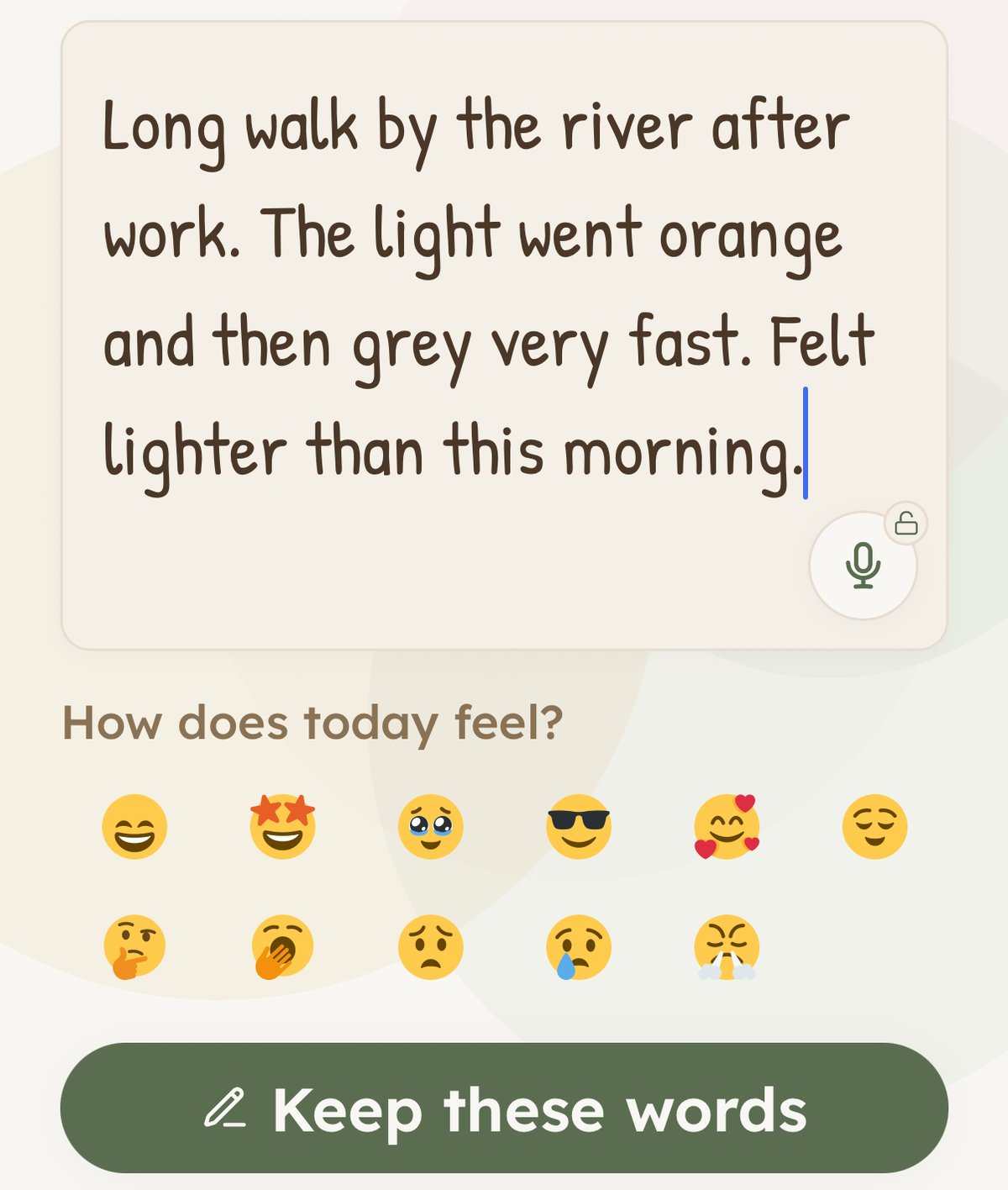
- Free, on every plan: unlimited writing, saving, reading back and export, a daily mood and a week of insights. Export is one ZIP with every word and painting (living paintings are not in it). No ads. The free plan has no paintings and no living paintings. You do not need an email or a name to start: Bloom opens a private guest journal.
- Bloom Pro: up to 90 paintings a month, 4 living paintings (short videos) and full insights including On This Day. EUR 9 a month or EUR 49 a year (as of November 2026), the same in both stores and charged in your local currency. It starts with a 7-day trial that includes up to 3 paintings a day and 1 living painting.
- Billing: only through Google Play or the App Store. You cancel in the store, and deleting your account does not cancel a subscription. The Terms spell this out.
- The trade: to paint an entry, its text is sent to Google Gemini, and the Privacy Policy covers the rest, including analytics, which you can turn off in Settings. Your journal lives on your phone by default, with cloud storage as a choice.
- Where to get it: Bloom is on Google Play now. The iPhone app is on its way to the App Store. More on Android options in the best journaling apps for Android.
If you want to write on a phone and a laptop, Day One’s Silver plan may suit you better, since Bloom is a phone app. If you want a free journal on your phone now, with the option of a painting of each day later, that is how Bloom is built.

On Android now. The iPhone version is on its way to the App Store.
Questions
Which journaling apps are free for writing?
Day One Basic, Gratitude’s free plan and Bloom’s free plan all let you write without a cap. Mindsera’s Curious plan is a free minimal journal. Life Note is free for 3 entries a week, or 10 in your first week.
What is the best free journal app?
It depends on what you want beyond writing. Day One Basic is the broadest free plan for plain text, with 1 photo per entry. Gratitude’s free plan suits a daily gratitude habit with prompts and reminders. Bloom suits people who want free writing now and the option of a painting per entry with Bloom Pro.
Is Bloom free?
Writing in Bloom is free on every plan, with no limit, along with saving, reading back, export, a daily mood and a week of insights. Paintings are not free: they come with Bloom Pro, which starts with a 7-day trial, then EUR 9 a month or EUR 49 a year.
Can I export my journal from a free app?
Often, yes. Day One Basic exports to PDF and CSV or JSON, Life Note says export is never gated, and Bloom exports your whole journal as one ZIP on any plan. Gratitude lists a whole-journal PDF under Pro. Check this before you write for months.
Write a few lines. Keep the painting.