 Bloom: Illustrated Journal
Keepsake journal apps: what you have to look back on
A keepsake journal app is one that leaves you something to look back on, not just a list of old entries. Today that comes in three forms: photos you add to each entry, a printed or PDF book of your journal, or a picture made from the words you wrote. Here is how each one works, which apps do it, and what to check before you trust an app with years of your days.
Three kinds of keepsake journal apps make
Most journal apps store your words well. Fewer give you something you would want to show someone, or open on a slow Sunday a year from now. The ones that do fall into three families.
- Photos you add yourself. You write, then attach the pictures you took that day. Day One is the best-known example: its free Basic plan allows one photo per entry, and Silver ($49.99 a year) allows up to 30 photos and videos per entry, per its pricing page. This is the richest record if you take photos often. On days with no photo, the entry stays text.
- A book of your journal. The entries are gathered into something you can hold or file away. Day One prints your journal as a book, with a discount on its paid plans, and every plan can export to PDF (Day One pricing). Gratitude: Self-Care Journal added a PDF book on October 29, 2026: you choose the dates, a cover and a title, and a single day can be saved as a PDF free for everyone, per its App Store release notes. A book is the most traditional keepsake, and the closest to a paper diary on a shelf.
- A picture made from your words. The app reads the entry and makes an image of the day, so every entry has something to look at, photo or not. Day One offers image generation on its Gold plan ($74.99 a year, Day One pricing). Bloom: Illustrated Journal is built around it: one painting per entry. We wrote a longer guide to journaling apps that turn your words into art.
Prices are US dollars, as of November 2026, and vary by country. None of these is the right answer for everyone. If you already take photos every day, a photo journal may be all you need. If you want a shelf object, a printed book is the only one that becomes paper. If your days do not come with photos, a picture made from the entry fills the gap.
If your entries are mostly gratitude lines, gratitude journal apps compared looks at the same apps through that lens.
Why looking back matters more over time
On the first night, a journal is a place to put the day down. A year later it is something else: a record you can return to.
Looking back is also a reason to keep going. A plain text archive pays off months later, when you finally reread it. A keepsake pays off sooner, because each entry adds something you want to see again. That matters most in the early weeks, when a habit is still fragile (more on that in how to keep a journaling habit without the guilt). If you want the research on what the writing itself does, it is collected in what journaling actually does.
Features that bring old entries back help too. Day One has On This Day on every plan (Day One pricing), and Bloom has its own version, On This Bloom Day, in Bloom Pro.
What Bloom keeps: one painting per entry
Bloom is our app, so here is what it does and what it does not do.
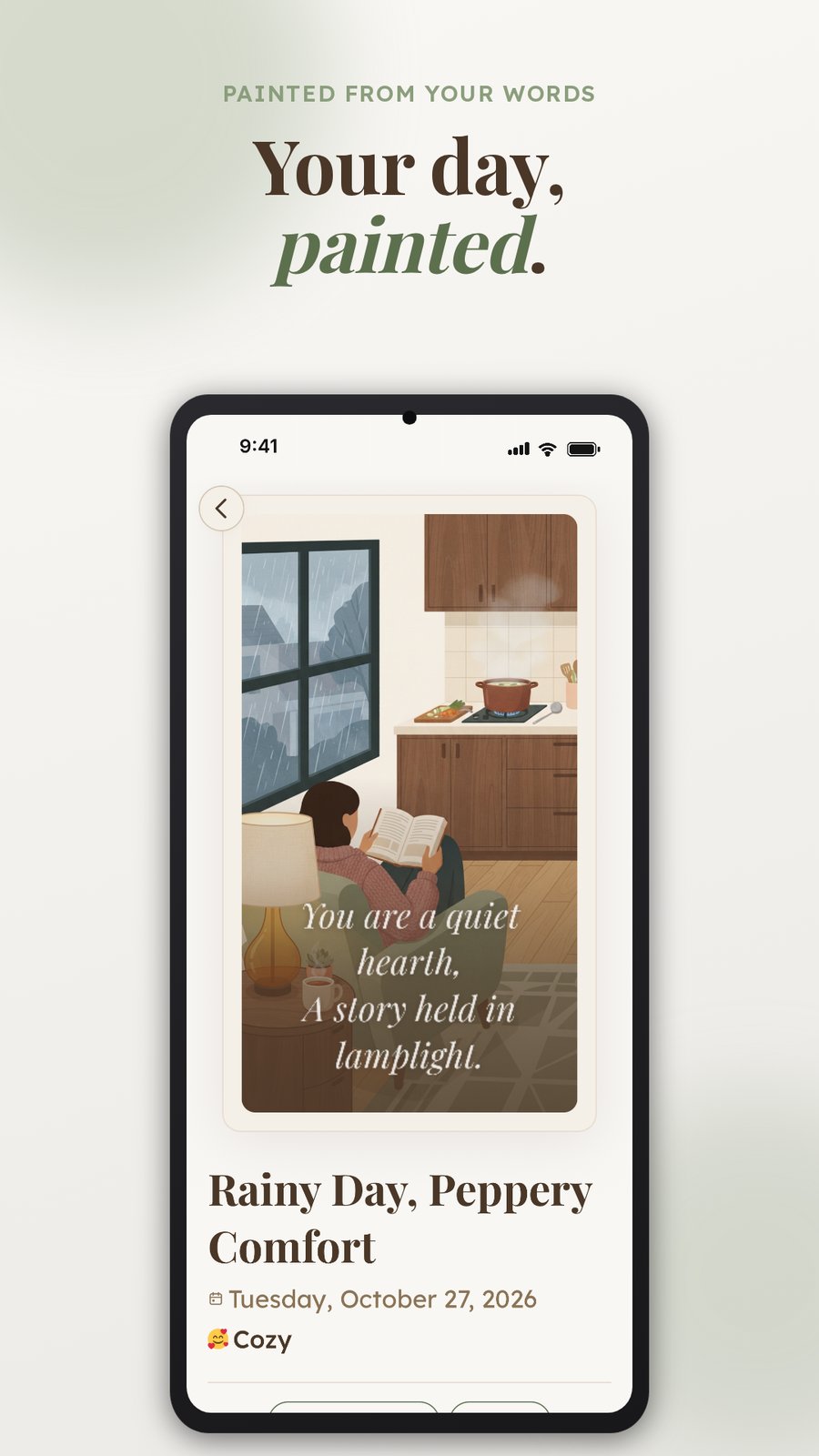
You write a few lines about your day. While Bloom paints, a breathing circle paces your breath. Then the entry comes back as one painting in a flat, mid-century illustration style, with a whispered line laid over it and a title of its own. The whispered line sits on top of the painting; it is not part of the image. If you do not like the painting, you can ask for a different one, up to three tries per entry, and each try counts toward your monthly paintings. Each month collects in a calendar gallery, one painting per day you wrote, so a month reads at a glance.
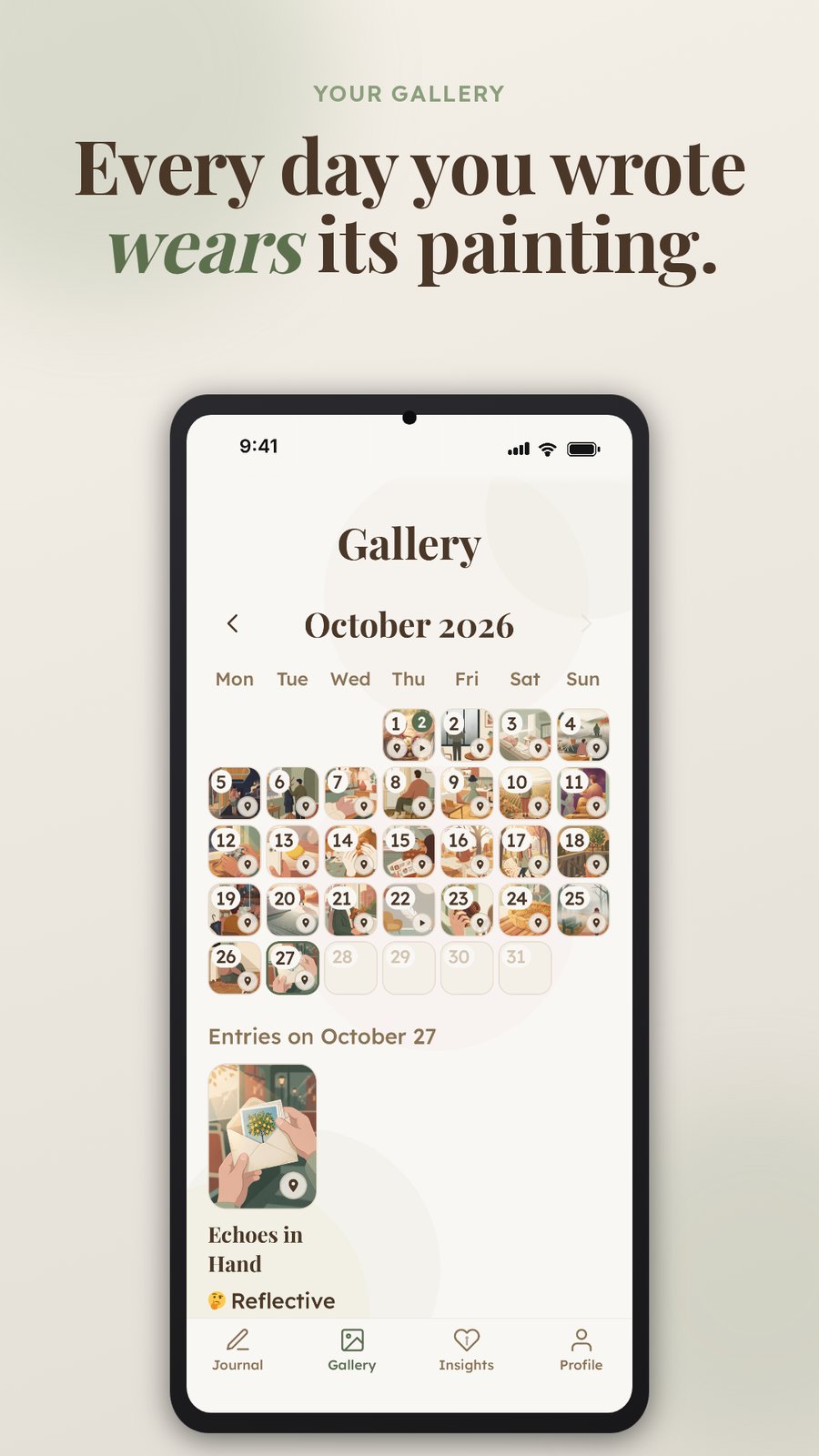
With Pro, a painting can also become a living painting, a few seconds of gentle motion.
The honest limits:
- Paintings come with Bloom Pro. The free plan is unlimited writing, saving, reading back and export; it has no paintings. Pro gives you up to 90 paintings and 4 living paintings a month for €9 a month or €49 a year, charged in local currency in the store (as of November 2026). A 7-day trial lets you try it first, with up to 3 paintings a day and 1 living painting. Writing is never limited on any plan.
- There is no print album. Your keepsake lives in the app and in your export. If a book on a shelf is what you want, Day One’s printed books do that today.
- Painting means sending the entry. Your journal lives on your phone by default, but to paint an entry, the text of that entry (and your town and country, if you turn on “Remember where I paint”) is sent to Google Gemini. The Privacy Policy says so and names who handles what.
- Android first. Bloom is on Google Play now. The iPhone app is on its way to the App Store.

On Android now. The iPhone version is on its way to the App Store.
What to check before you trust an app with years of entries
A keepsake is only worth something if you still have it in ten years. Before you settle in, check four things.
- Can you take everything out? Export should be complete and should not sit behind a paywall. Day One exports to PDF on every plan (Day One pricing). Bloom exports your whole journal as one ZIP with every word and painting, free on every plan (living paintings are not in it).
- Who owns what the app makes? If the app makes images from your entries, read whose they are. Bloom’s Terms say your entries and paintings are yours, and that we do not use your journal to train AI models.
- What leaves your phone? Any app that makes pictures from your words sends something to a model. An honest app says what, and to whom, in plain words. We wrote more on this in how private is a journaling app, really?
- What does a missed day cost? A keepsake built over years will have gaps. Look for a streak that forgives. Bloom gives two automatic rest days a month and a Rest mode for holidays.
The wider list, including how to judge a free tier, is in how to choose a journaling app.
Questions
Which journal apps make a keepsake I can look back on?
It depends on the kind you want. Day One lets you add photos to entries and print your journal as a book. Gratitude: Self-Care Journal can turn your entries into a PDF book. With Bloom Pro, Bloom makes one painting from each entry, with a whispered line laid over it and a title, and collects them in a monthly gallery.
Is there a visual diary app that makes a picture of each day?
Yes. Bloom makes one painting from each entry you write, so each day you write in shows its painting, with or without photos. Paintings come with Bloom Pro. Day One’s Gold plan also includes image generation.
What is the best illustrated journal app?
The one whose pictures you would still want to see in a year. Look for one image per entry made from what you wrote, a style that stays the same across a month, free export, and a privacy policy that says what is sent to make the image. Our guide to journaling apps that turn words into art goes through these.
Can I turn my journal app into a printed book?
Day One prints your journal as a book. Gratitude exports a PDF book you could print yourself. Bloom does not offer a print album; you can export your whole journal as one ZIP on any plan.
Write a few lines. Keep the painting.